
01
No more tab clutter
Your music, search results, and saved playlists live in the menu bar instead of competing with work tabs all day.
Bartube gives you the useful part of YouTube: search for a track, save playlists you return to, and keep listening from the menu bar without a browser tab occupying your desktop.
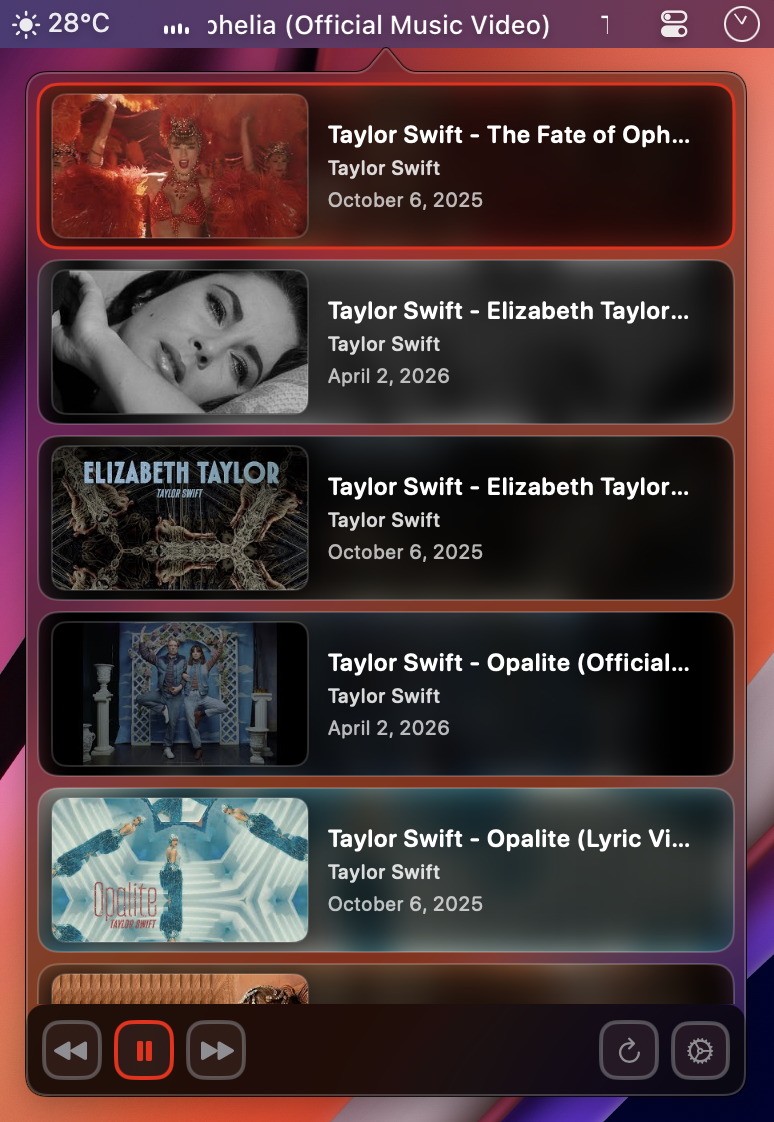
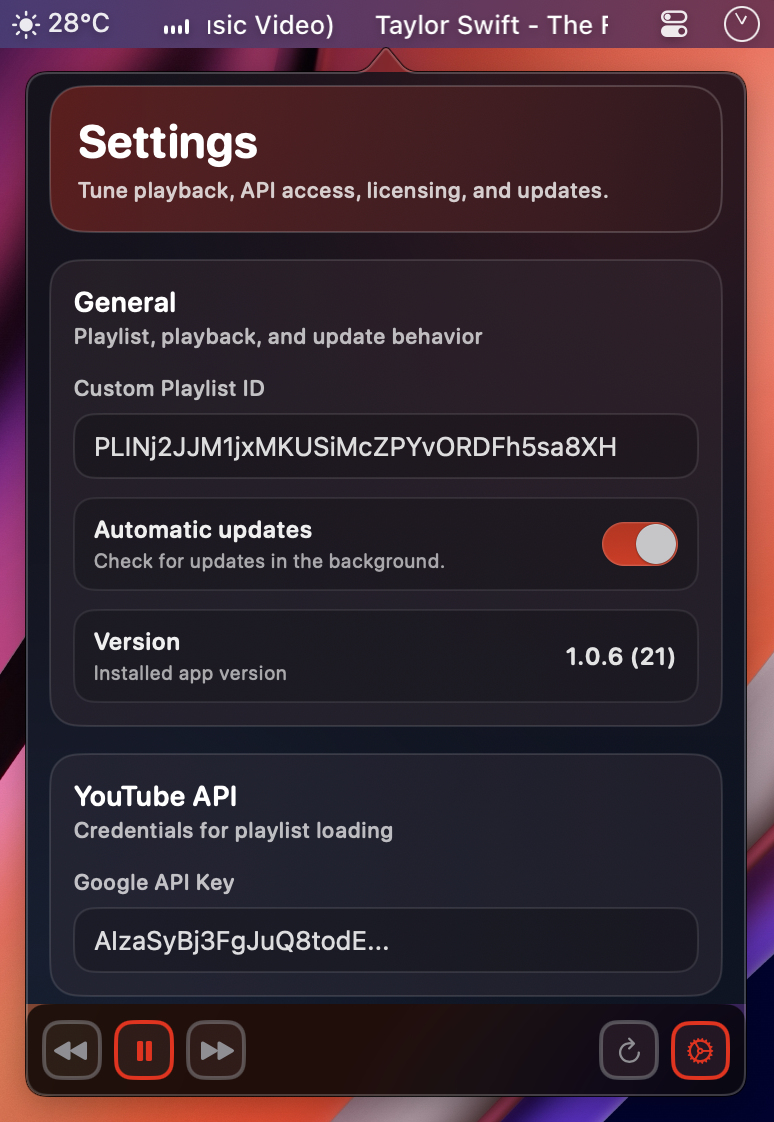
Your music, search results, and saved playlists live in the menu bar instead of competing with work tabs all day.
Previous, play, pause, and next are always one click away, with the current title visible in the menu bar.
Named playlists, one-click playlist playback, and a native desktop feel make it easy to come back every day.
Search YouTube directly, keep a local set of named playlists, reorder them with drag and drop, and move between listening modes without leaving the menu bar.
Type a keyword or paste a YouTube video URL. Bartube shows matching results without opening YouTube in a browser.
Add, edit, delete, name, and drag saved YouTube playlists into the order you prefer.
Press Command-F while the menu is open to switch between Search and the current playlist.
Repeat the current playlist, or let Bartube continue through all saved playlists in order.
The menu bar keeps showing Bartube when nothing is selected, stays visually steady as tracks change, and becomes compact after playback is paused.
A few quick answers before you install or set up Bartube.
xattr -dr com.apple.quarantine /Applications/Bartube.app
Install the app, add your API key in settings, then search YouTube or add a saved playlist from the menu bar.
Yes. Bartube has a playlist manager where you can add, edit, delete, name, reorder, select, and play saved YouTube playlists.
Yes. Drag playlists in the playlist manager to place them in the order you want.
Yes. In settings, Repeat Playlist can replay the current playlist or continue through all saved playlists.
Bartube recognizes normal YouTube video URLs and short links, then shows that video as a search result. You can still use plain keywords for regular YouTube search.
Bartube disables playback for videos longer than 30 minutes. You can still open them on YouTube, copy the link, or share them.
Bartube keeps playback from overlapping. Starting YouTube playback pauses Apple Music or Spotify, and starting Apple Music or Spotify pauses Bartube.
Bartube is a focused utility, not a bloated media shell. It removes friction, reduces distraction, and makes playlist playback feel like part of macOS instead of another website.